


Replies in seconds
LensPilot · photography website for independent photographers
Photography software
that quotes and books.
Clients pick a session, tick the extras and see the total. Calls get answered while you shoot, and a deposit invoice holds the date.
Building it now. The link is on its way to your inbox in a few minutes.
By Fuly · Miami, FloridaFree to build · no credit cardNVIDIA Inception member · ElevenLabs Grants recipientSee your site before you pay
The product
An office that
answers while you work.
Instant prices
Your price on your site, before they call anyone.
Phone
The call you miss on the job, answered.
Texts you
You only hear about it when a job needs you.
Gets you paid
The invoice goes out by text. They pay by card.
Reviews
A review request after every job, without you asking.
Ready on day one
Built for photographers,
already set up.
A general app hands you an empty account and a setup list. LensPilot arrives with these three already working.
Packages priced with add-ons
Portrait, family, headshot, event, wedding and mini sessions are in the calculator, with extra images, rush, prints and albums.
Inquiries answered in seconds
With Pro, the AI receptionist replies to texts and calls with your packages while you are on a shoot.
Retainer and balance by card
Send a retainer invoice to hold the date and a balance invoice after, both paid by card.
Live at VPX Hoteles, Peru
The same AI answers for two hotels. Their first week:
LensPilot runs on Fuly, the engine behind the inbox and the AI receptionist. VPX Hoteles, two hotels near Lima, moved every customer message to it on October 18, 2026: chat, social messages, the phone and their website forms.
- 729
- customer conversations in 7 days
- 2,259
- replies written by the AI
- 13 s
- median time for the AI to reply
- 435
- replies sent between 9 p.m. and 8 a.m.
- 400
- booking requests, each answered with a link
- 139
- handoffs to the right person on the team
Counted by Fuly for both VPX hotels, October 18 to 24, 2026, test chats excluded.
Photography pricing calculator
They pick a session.
Then they add the extras.
After the gallery, clients pick a session, set the hours or the number of people, and tick the add-ons. The session starts the sale; the extra images, the canvas and the album finish it. Try it below, the way your clients would.
One session · the add-ons · one total
They saw the gallery. Now they pick a session.
Family session, four people: $365 at your rates. No email to ask, no PDF price guide.
The add-ons raise the sale before you talk.
10 extra edited images, $75. A 24x36 canvas for the living room, $325. The order is now $765.
You get the inquiry with the total.
Session, people, add-ons, the date they want and the price they saw. Send the deposit invoice and the date is held.
What the client typed
Family of four, a Saturday morning at Pullen Park. We would love a big canvas for the living room.
Picked: Family session · 4 people · 2 add-onsWhat you receive
- Client
- Megan T. · (919) ***-**37
- Session
- Family session · 4 people · $365
- Add-ons
- 10 extra images $75 · 24x36 canvas $325
- Total seen
- $765
- Next
- Send the $100 deposit, hold Saturday
Estimate your price
Your estimate
Interactive example with sample rates. Your calculator uses your packages and prices.
How it works
Your site is built.
Before you pay a dollar.
01
Tell us your studio name
Your city and your email. We email you the link to your site in a few minutes.

02
Add your photos and packages
Your best work goes in the gallery. Your sessions, prices and add-ons go into the calculator and the receptionist the same day.

03
Keep it if you like it
Pick a plan and it goes live on your own .com. If not, you owe nothing.


See real ones
Three example sites,
three different looks.
Each one was built the way yours will be: from a business name and a city. Open them, tap around, get a price.
 Hazel and Oak PhotographyRaleigh, NC · Editorial, price firstOpen the live site
 Golden Hour PortraitsSan Diego, CA · Bold and directOpen the live site
 North Light StudioMinneapolis, MN · Friendly, story firstOpen the live site
Example businesses made to show the product. Yours gets your name, your photos and your prices.
One customer, start to finish
From the first text
to the five-star review.
What LensPilot does for each job, and the one moment it needs you.
- 9:04 p.m.Automatic
A customer asks for a price
Your site or the AI receptionist quotes from your prices, by text, chat or on the phone.
- 9:06 p.m.Automatic
They pick a day
Online booking inside the hours you set. It lands on your calendar.
- Right thenAutomatic
You get one text
The customer, the job, the day and the price they saw. Nothing else to check.
- Day beforeAutomatic
The customer is reminded
A reminder the day before, so fewer visits are wasted.
- Job doneAutomatic
The invoice goes out
By text or email. The customer pays by card from the link.
- Day afterAutomatic
The review request
Your Google review link, sent for you. More reviews without remembering to ask.
Every message can be edited or turned off.
Pricing
Simple pricing.
Your domain included.
No setup fee and no contract. Start with the website, add the AI receptionist when inquiries pile up.
Website
$35/mo
- Photography website on your own .com
- Portfolio gallery from your photos
- Price calculator with session packages and add-ons
- A page for every session type and town
- Inquiries to your phone and email
- 1 blog post a month, written and published for you
- Domain, hosting and secure connection included
- Pages ready for Google: titles, structured data and links between pages
- Website chat that answers visitors and takes their details
- See your visits and leads
ProMost popular
$99/mo
- Everything in Website
- AI receptionist that quotes your packages, on a local number
- Booking, mini-session slots and reminders
- Deposit and balance invoices paid by card
- Automatic Google review requests
- 1 blog post a week
- Missed call text back from your business number
- New leads get your price by text within seconds
- One inbox for calls, texts, email and website chat
- Online booking with deposits paid by card
- Business email on your own domain
- A lead pipeline from first call to paid job
- Google Calendar sync for your team
- Up to 3 team members, $15/mo per extra
Photography business guides
Run a better photography business.
Written for photographers who run their own studio.
 Starting out
How to Start a Photography Business: A Step by Step Guide
What it costs, what gear you need, how to price your first sessions and how to book your first paying clients when you start a photography business.
Read the guide Pricing
How to Price Photography Packages (With Real Numbers)
A step by step method to price photography packages: your cost of doing business, the real hours per session, starting prices, per-hour and per-person rates and add-ons.
Read the guide Offers
Photography Mini Sessions: How to Plan, Price and Fill Them
How to run fall and holiday mini sessions that sell out: dates, slot length, pricing, add-ons, booking and payment in full, with real numbers.
Read the guide Upsells
How to Sell Prints and Albums: Raise Your Average Photography Sale
How photographers sell prints, wall art, albums and other add-ons without pushing: what to offer, how to price it and when to show it.
Read the guide Getting paid
Photography Deposits and Retainers: How Much and How to Collect
How much deposit photographers should take for portraits, minis, events and weddings, when to collect the balance, and how to handle cancellations.
Read the guide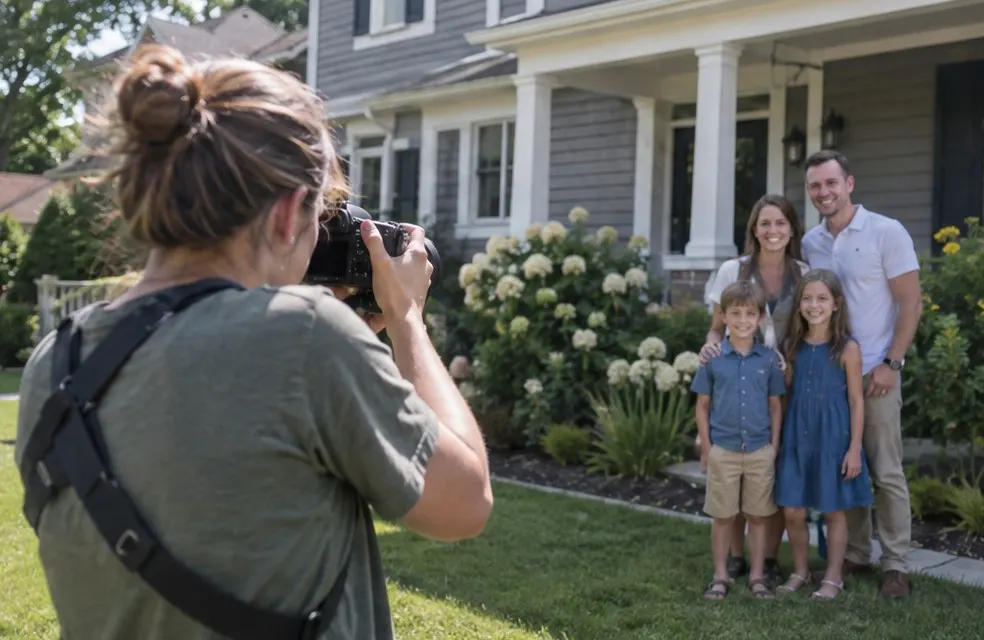 Clients
How to Get Photography Clients in 2026: 9 Ways That Work Locally
How to get photography clients beyond Instagram: Google, a website with prices, reviews, referral credits, mini sessions, partnerships and fast replies.
Read the guideBefore you begin
Good questions.
Straight answers.
What should a photography website have?
Your best work first, then session packages with real prices, the add-ons people can buy, and a way to book. LensPilot builds all of it on your own .com: a gallery from your photos, a calculator that prices sessions and add-ons, and booking with reminders.
How does it help me sell add-ons?
Every session package in your calculator lists its add-ons: extra edited images, rush delivery, prints, an album or a canvas, a second shooter, travel. Clients tick them while they price the session, so the upsell happens before the first email, and the AI receptionist offers the same add-ons on the phone.
Can I take a deposit to hold the date?
Yes. When a client books, you send a deposit invoice from your phone and they pay it by card. When the session is close, you send the balance the same way. One list shows who paid and who still owes.
Does it deliver client galleries or contracts?
No. LensPilot is the part that gets you booked and paid: the website, the prices, the receptionist, the calendar and the invoices. Keep the gallery delivery and contract tools you already use for the finished photos and the paperwork.
Do I really get the site for free?
Yes. We build it first and you only pay if you decide to keep it. No card is needed to see it.
Is the domain included?
Yes. Every plan includes a .com in your studio name, renewals included. No contract; cancel anytime from your dashboard.
How soon will I show up higher on Google?
Google decides when and where a business shows; steady reviews and complete pages help. No one can guarantee a ranking.
I already use Jobber or another app. Do I have to switch?
No. Keep it for the jobs you already have. LensPilot is the part that brings the next customer: your website, the instant price and the receptionist. It also has its own calendar and invoices if you would rather have everything in one place.
Who sets it up, and who do I call if I get stuck?
We do. Your site, your prices and your messages are ready when you first open it; you change what you want from your phone. Real people answer at [email protected] in English, Spanish and Portuguese.
Your free site starts with your studio name